| Support Category: Course Progress Issue | Navigation |
| Specialist Notes: |
Users may be unable to select the Next button in the ETHICS! Knowledge Check if one or more required answers are missing.
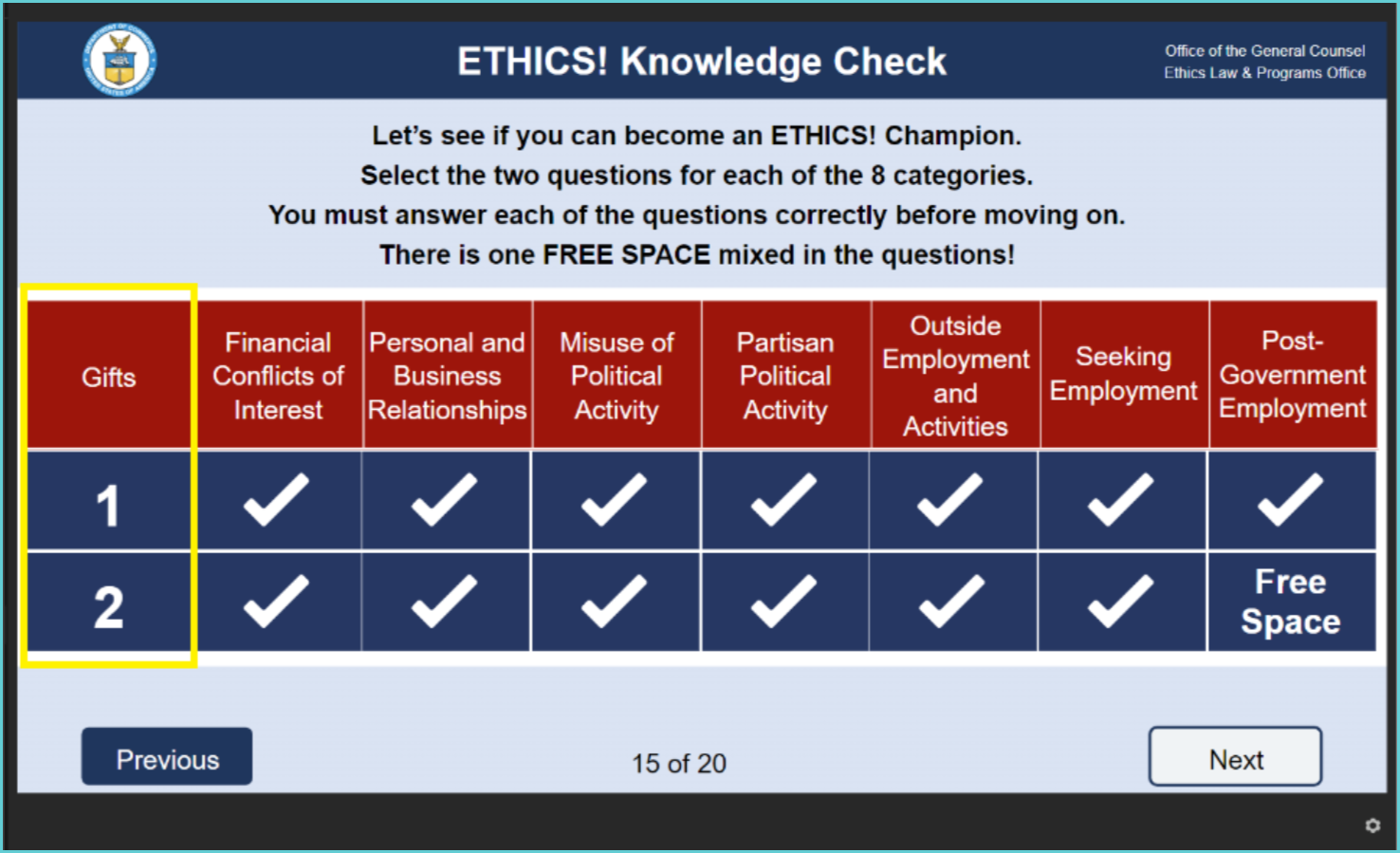
Request a screenshot from the user and review it. If any checkmarks are missing, ask the user to:
- Select an answer for every category.
- Select the Free Space box.
- Confirm that every required box has a checkmark.
- Select Next to continue the course.
Example of an incomplete knowledge check. The boxes under Gifts and the Free Space box are commonly missed:
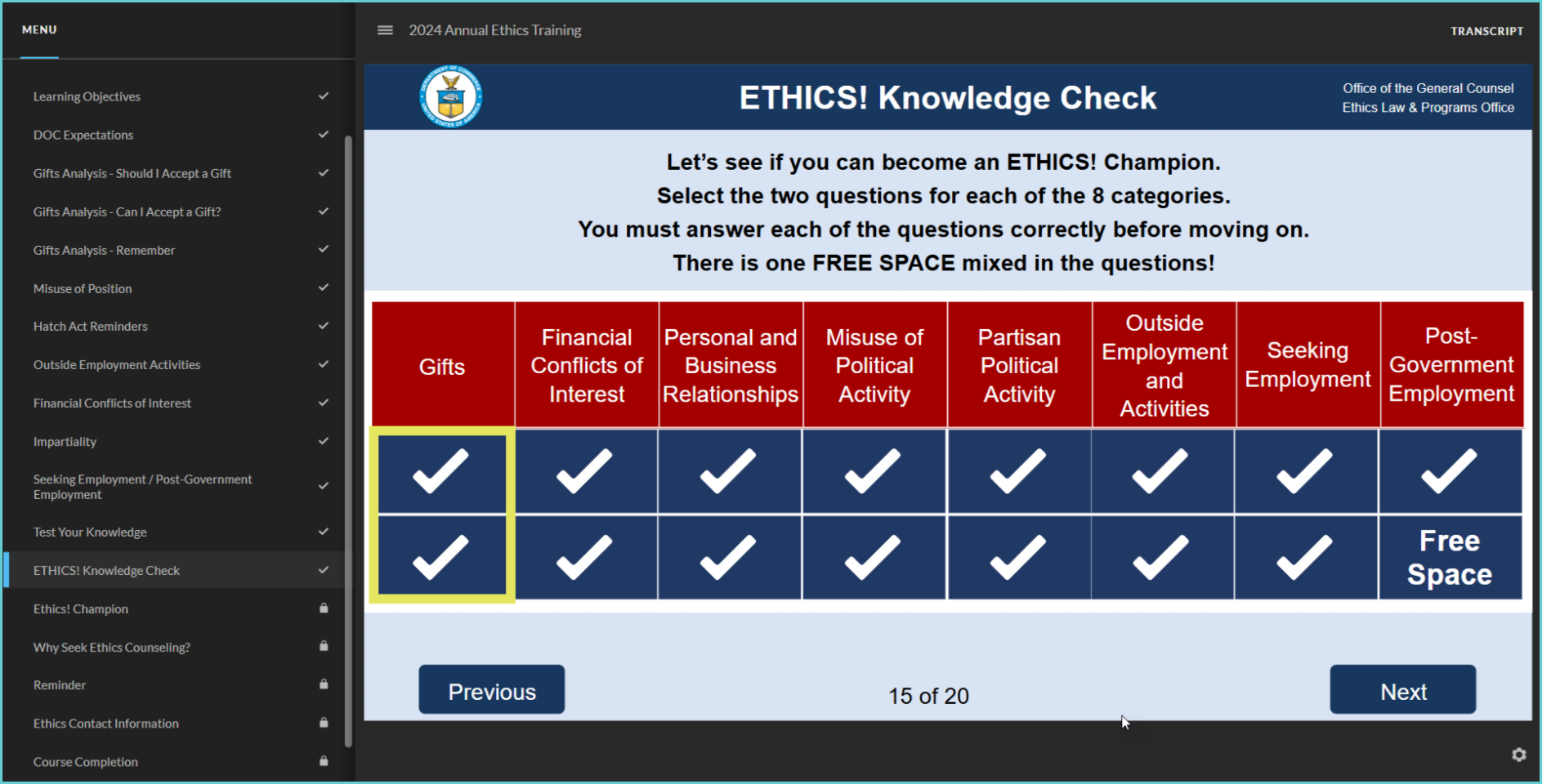
IMPORTANT! If the user still cannot select the Next button after completing our standard troubleshooting steps, escalate and include a screenshot showing all required checkmarks. |
| Standard Response: |