| Support Category: Login Request |
| Specialist Notes: |
IMPORTANT! This SR Does NOT apply to Census. Census users should only be logging in using SSO. Please provide the Login Reset Request/SSO Login Issues SR to Census users who are unable to log in using SSO. |
1. Log in with your personal ID
2. Hover over (do not click) the Admin button in the navigation bar
3. In the menu bar below it, click on ‘Users’
4. Enter the user’s last name and first name, or enter the user’s email under 'UserID'.
5. Under 'Options' click on the drop-down and select 'Change Password'
6. A ‘Password Reset Options’ window opens
7. Make sure the default option ‘Send Forgot Password email. The user must have an email address saved’ is chosen.
8. Click ‘OK’
Email is sent to the user from 'CLCSupport@doc.gov', with a link to reset their password.
Instructions for processing login requests in CSOD can be found here.
| Standard Response: |
Thank you for waiting.
We have sent a Reset Password email titled "Commerce Learning Center Password", which you should receive shortly. This email includes a link to reset your Commerce Learning Center password. Your username is your full DOC government email address. Be sure to check your junk mail for this email.
Please be aware that the Forgot Password link is only valid for 48 hours. After the 48-hour validity period, selecting this link will navigate you to a page on which you must enter your login name to generate a new Password Reset link.
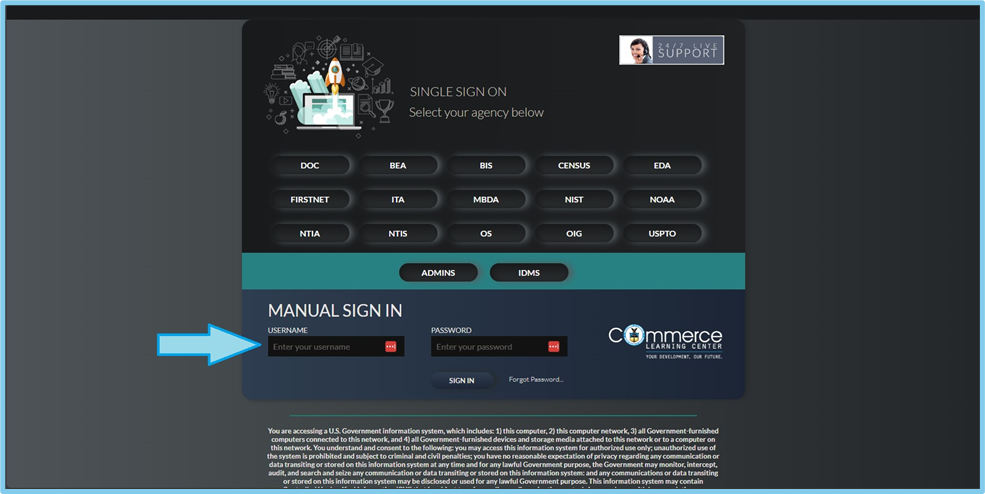
To log in, you will bypass selecting your bureau from those listed as it will require you to sign in via SSO, and instead enter your DOC email address as your username and your password as seen below.